Side Projects
Flueno — from conversation to targeted practice
I designed and launched an iOS app for practising languages with AI, connecting real-life conversations with feedback and exercises based on the learner’s own replies.

A product built around one practice loop
Flueno connects conversation with follow-up practice: choose a situation, talk, review the response and practise a personal phrase. I designed this loop as the foundation of an independent product. The aim is to give learners a clear next step after a conversation, using their own replies.
My role
Product creator and product designer. I defined the concept and core journey, designed preparation, conversation, feedback and phrase practice, and took the product through to an App Store launch.
The key decision
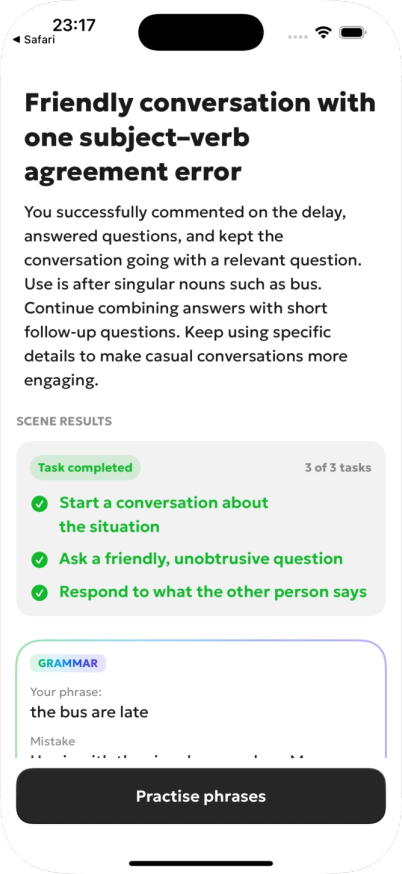
Keep context across the steps. Goals remain visible during the conversation, feedback refers to specific replies, and the exercise uses a phrase from that same dialogue.
1. A conversation with a visible goal
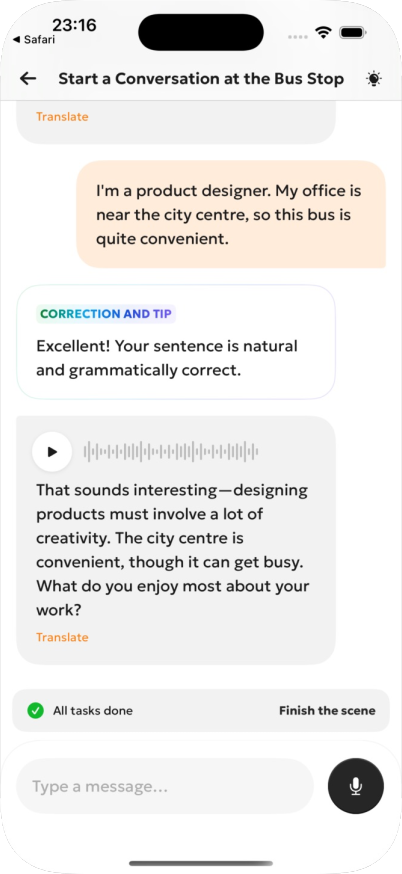
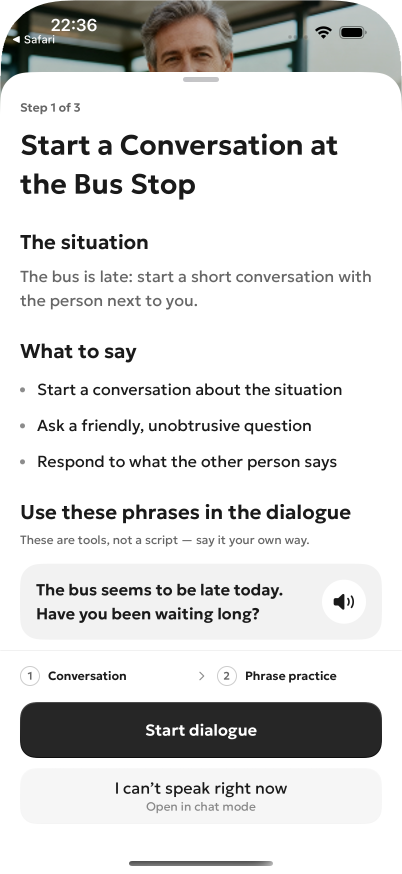
I gave each situation a few concrete goals. The bus-stop scene asks learners to discuss the situation, ask a friendly question and respond to the other person. I placed the remaining goals above the input so they stay visible during the chat. Playback and translation are available on each message. The conversation below continues into the feedback and practice screens.
2. Practice built from a personal reply
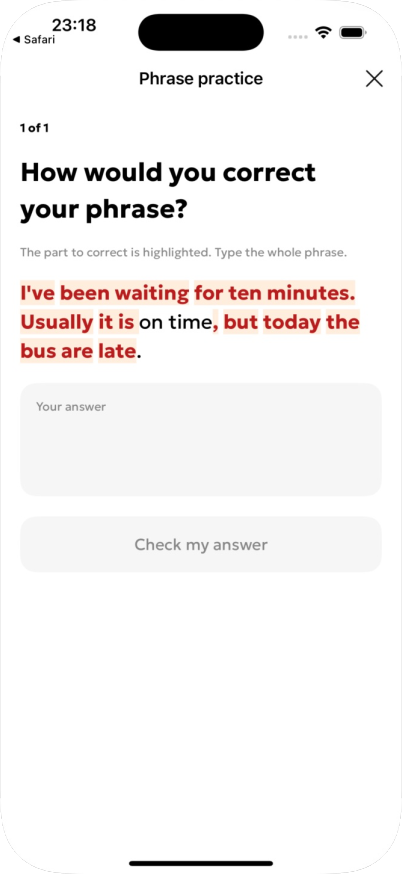
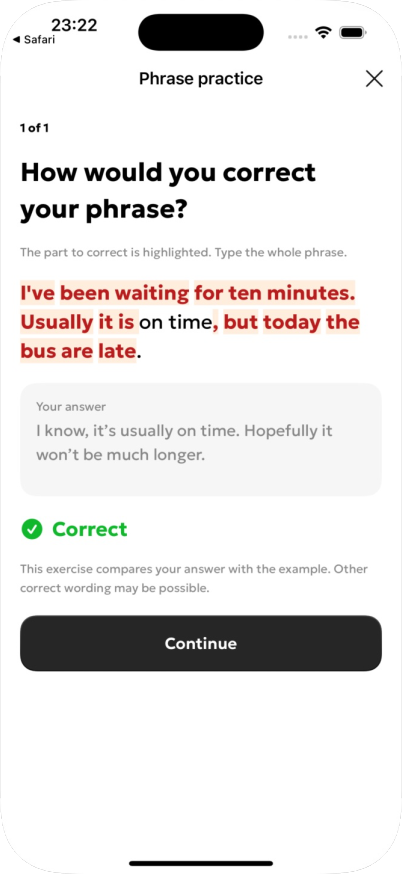
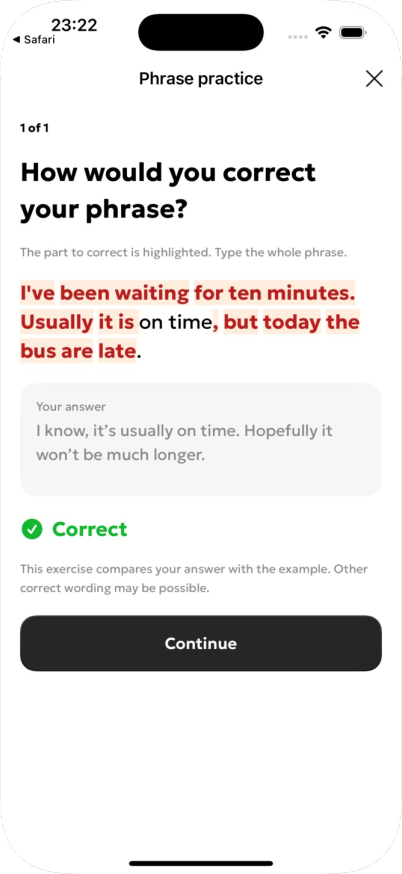
I tied the exercise to a phrase from the completed conversation. Highlights show differences from the suggested example, and the answer field asks learners to rephrase the complete reply. The answer is compared with the suggested example. After the check, the screen gives an explicit result and a clear next step.
How learners reach this conversation
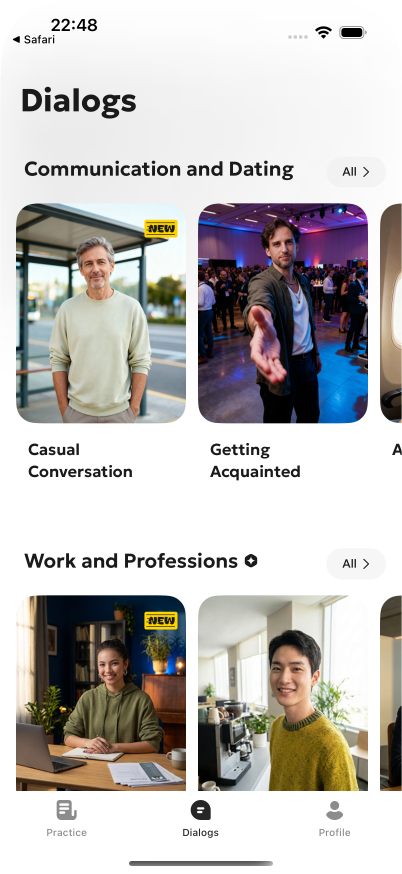
Before the conversation shown above, learners choose a situation and open its preparation screen. I brought the setting, goals and useful expressions together as support for starting, without prescribing the reply. Text mode sits beside voice mode so learners can also start when speaking aloud is inconvenient.
Outcome
The result is a launched iPhone and iPad app, published on the App Store. Preparation, conversation, feedback and follow-up practice are implemented as one journey. The case shows one scene in a working build: the conversation, completed goals and the checked rephrasing of a personal reply.