Enterprise Systems
Franchisee Portal: daily dark store operations
I designed a portal where franchisee teams monitor dark store performance, handle operational issues and review financial terms. Each employee sees only the dark stores and sections they have access to.
Problem and context
The task was to move franchisee workflows out of internal tools into a dedicated portal, bringing performance metrics, tasks and financial terms together. Access needed to depend on each employee’s role and the dark stores they work with.
My role
In 2025, I defined how the portal should work and designed the MVP. In 2026, I continued developing its core workflows. I also brought another designer onto the project, helped them get up to speed and mentored them.
Monitor dark store performance
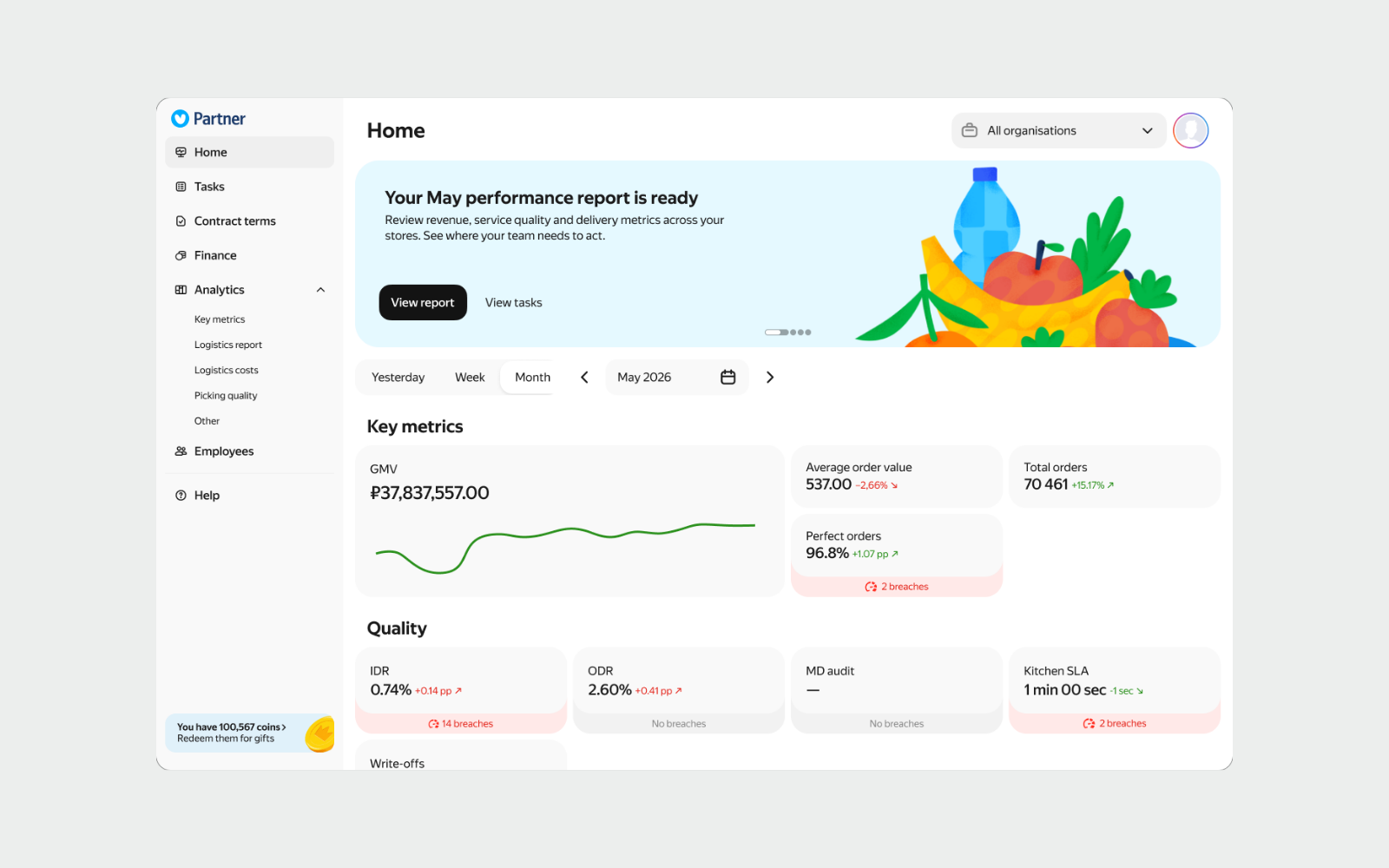
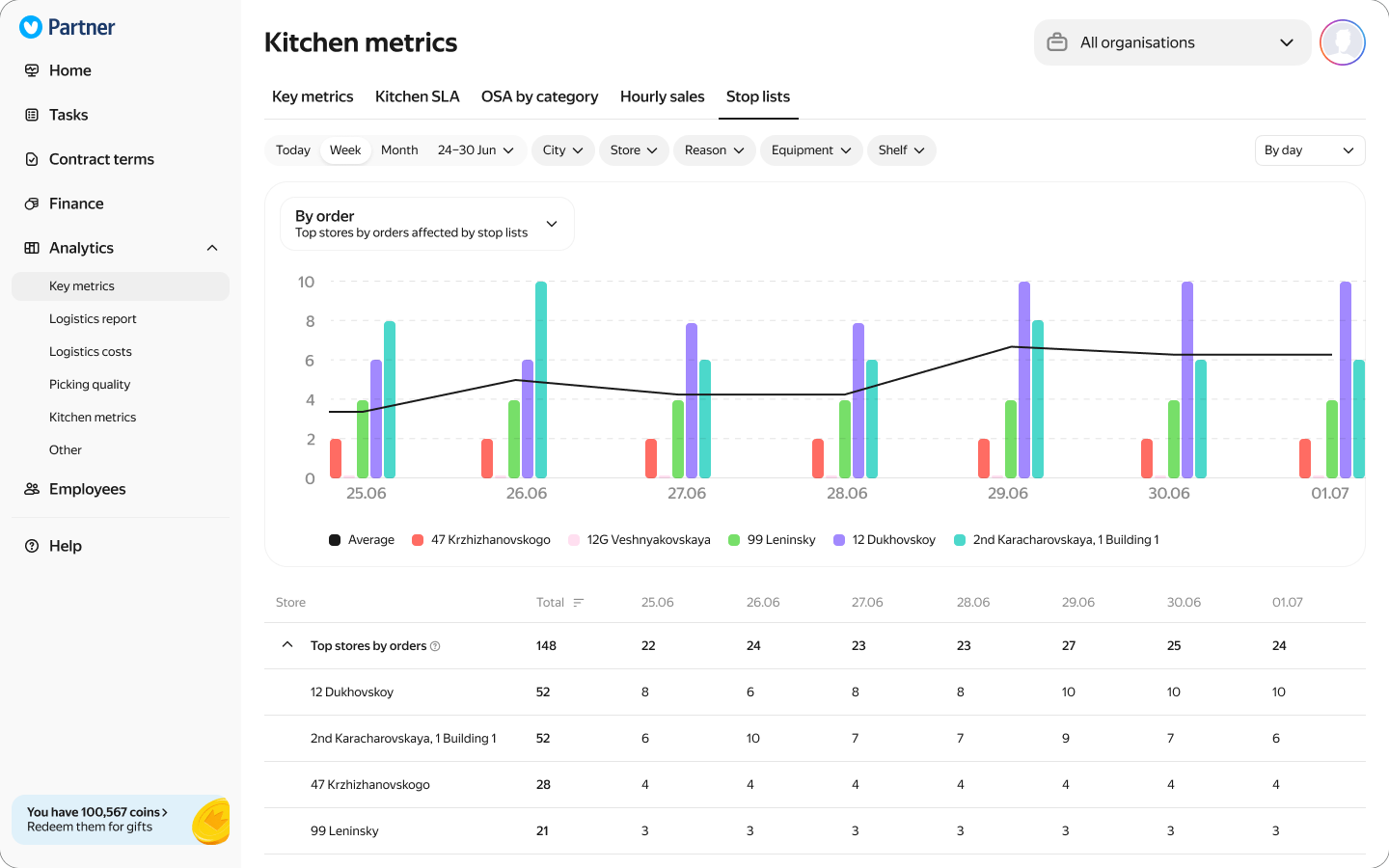
I brought sales and service quality metrics onto the home screen. From the overview, users can open detailed reports, select a dark store and investigate performance issues.
Investigate an issue and send a response
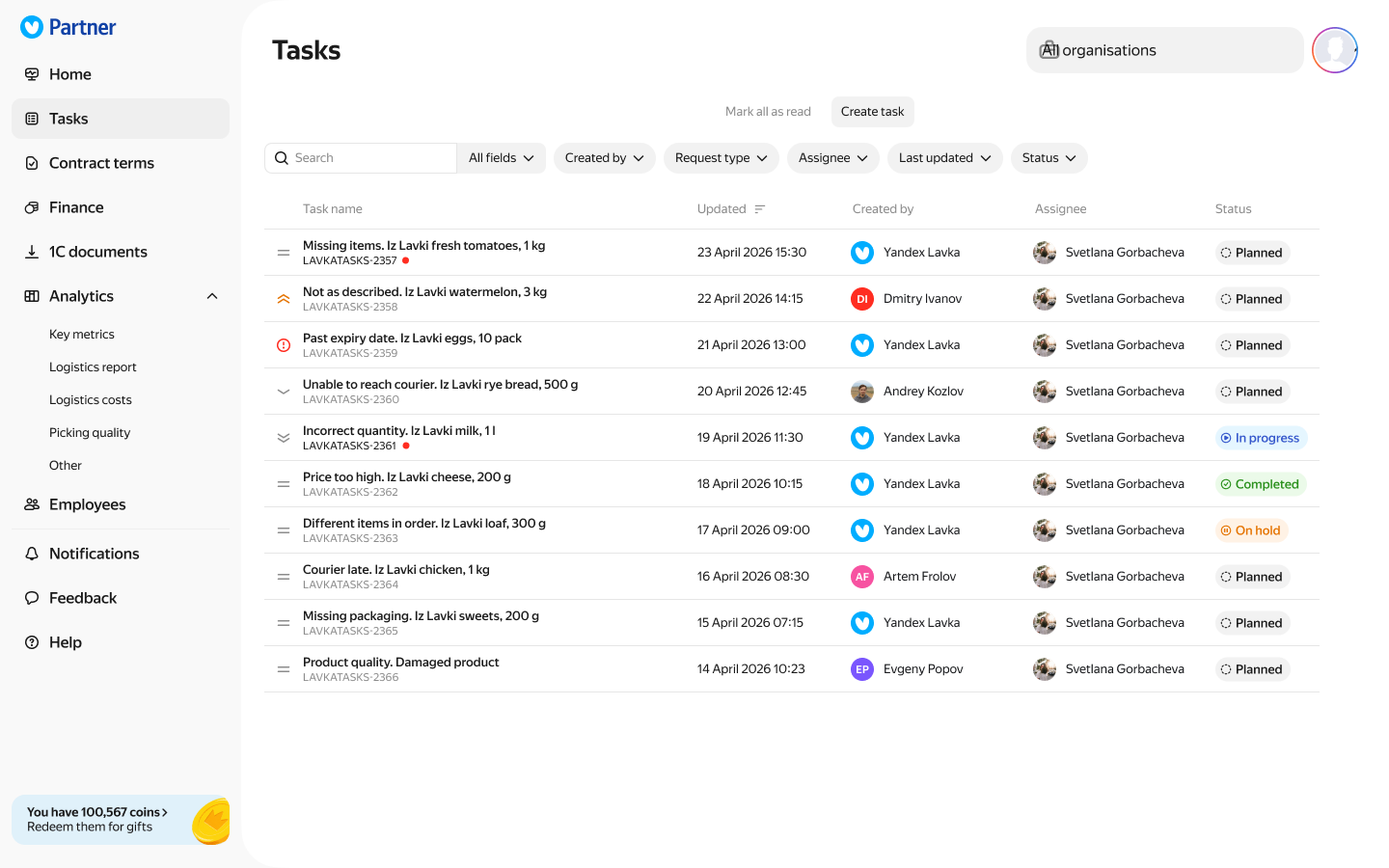
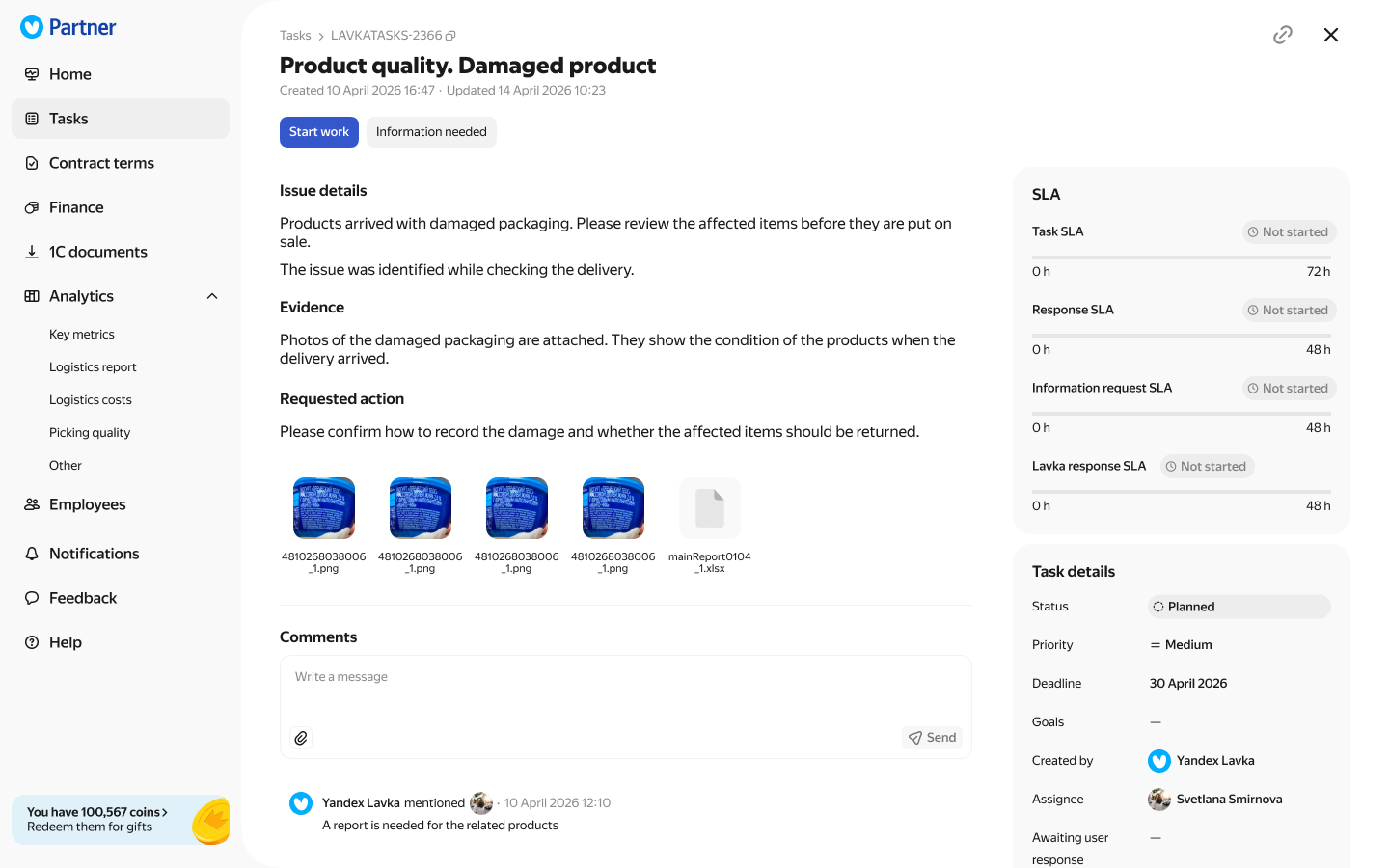
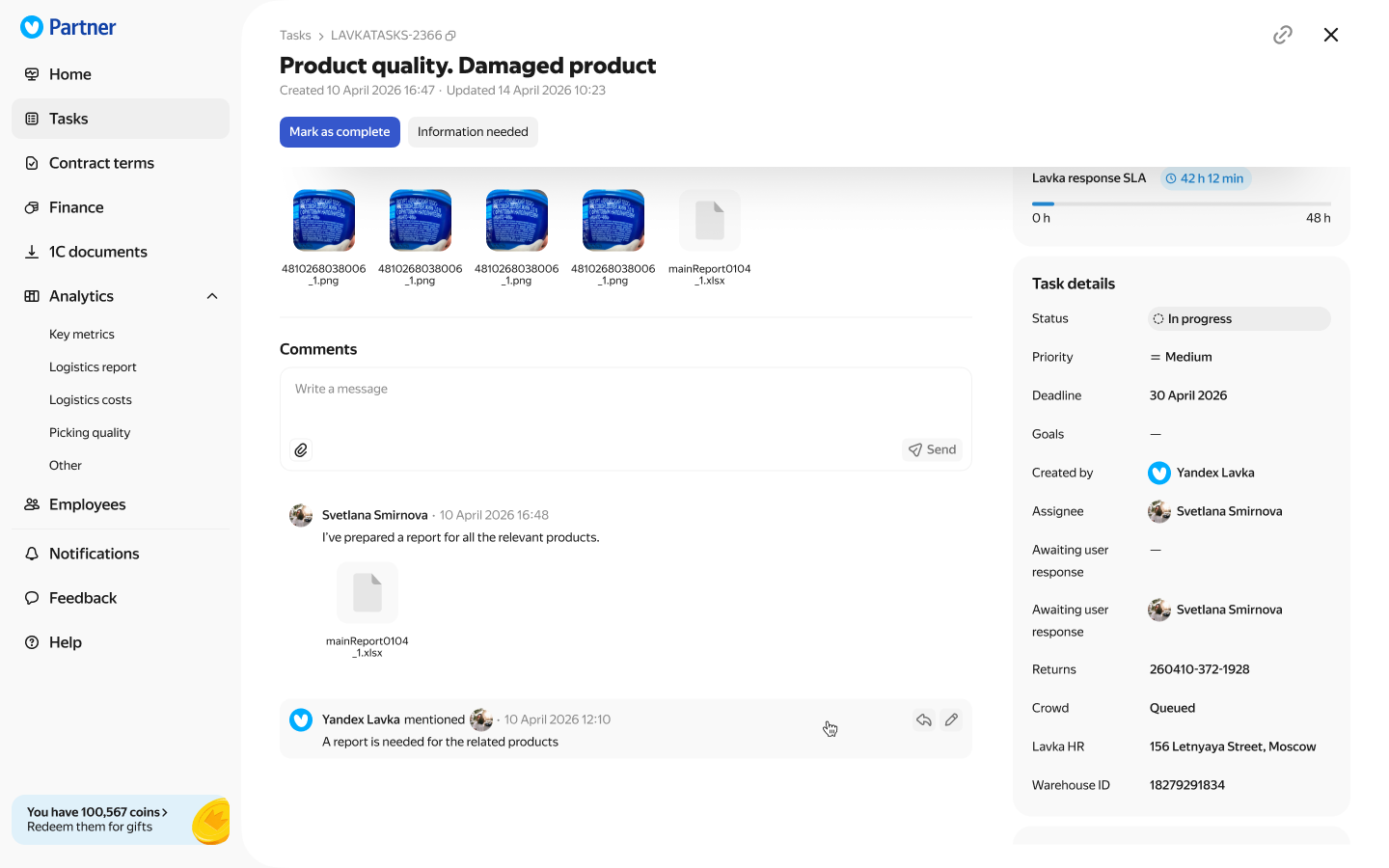
Employees open a task from the list, review the issue and start work. The task shows its assignee, status and response deadline. Discussion and attachments stay with the task, where employees can send a response with supporting files.
Review terms and changes
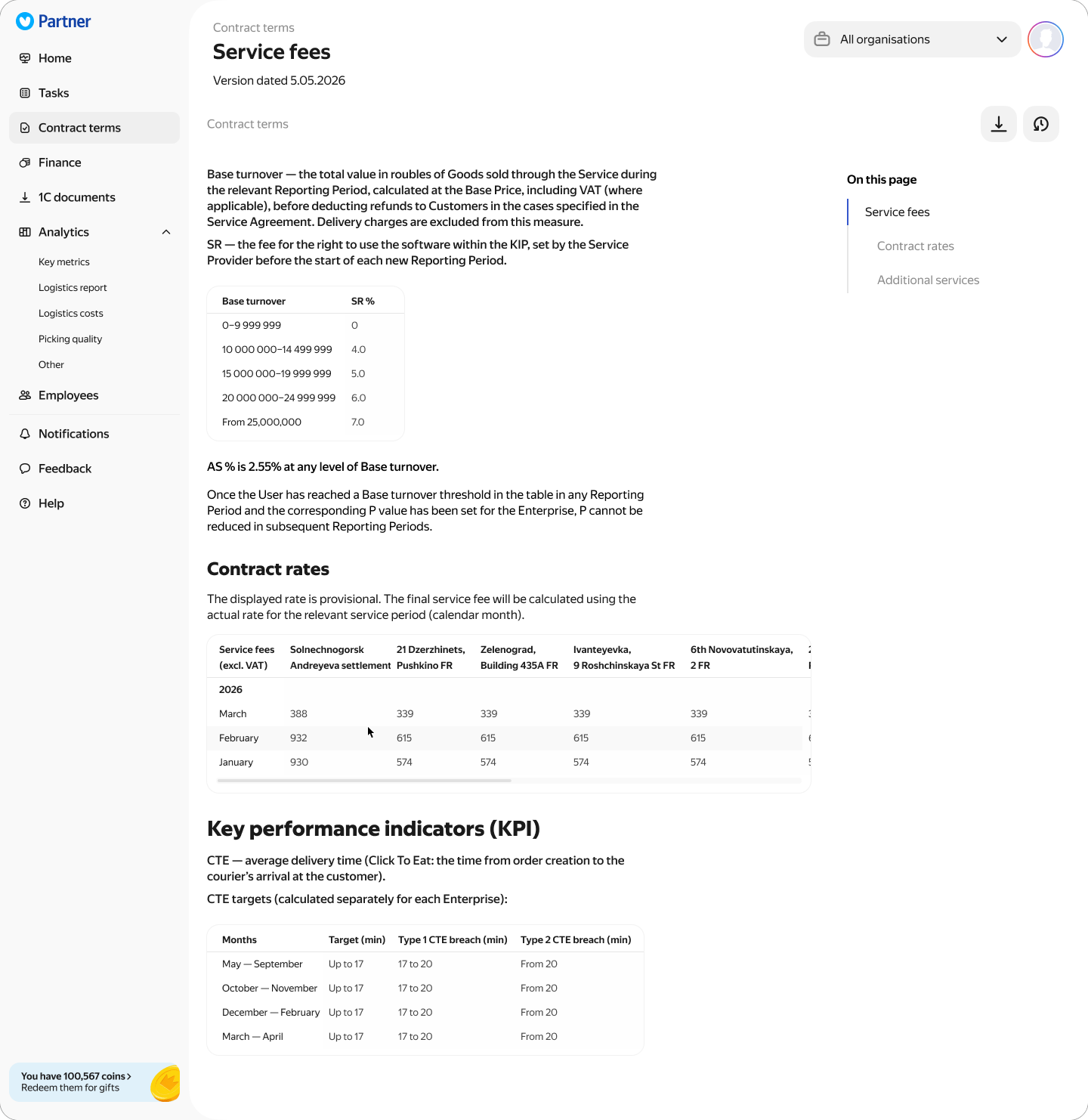
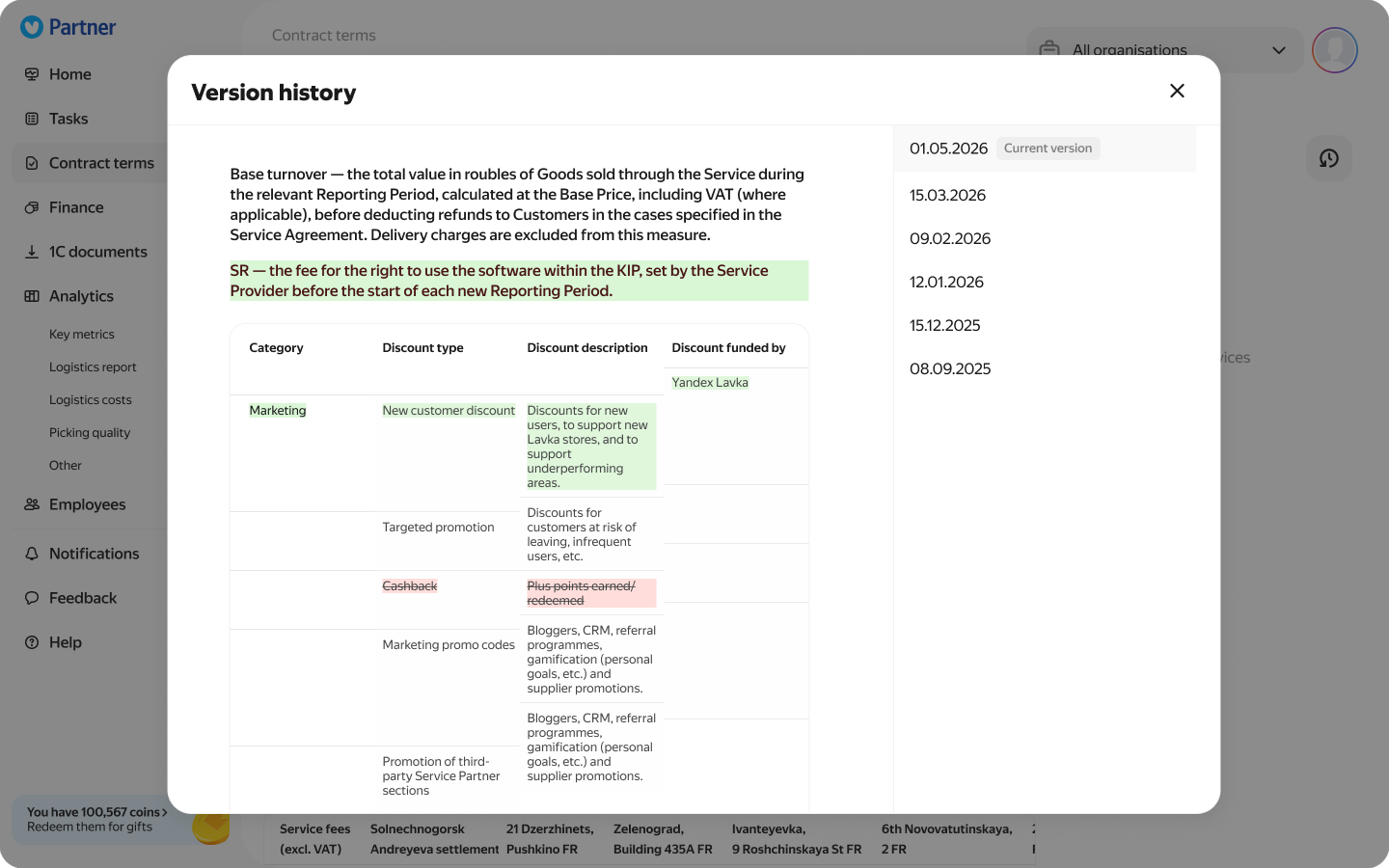
A table of contents links to each section of the financial terms. I used different widths for text and tables to make long documents easier to read. Version history lets users review earlier terms and see what changed.
Manage employee access
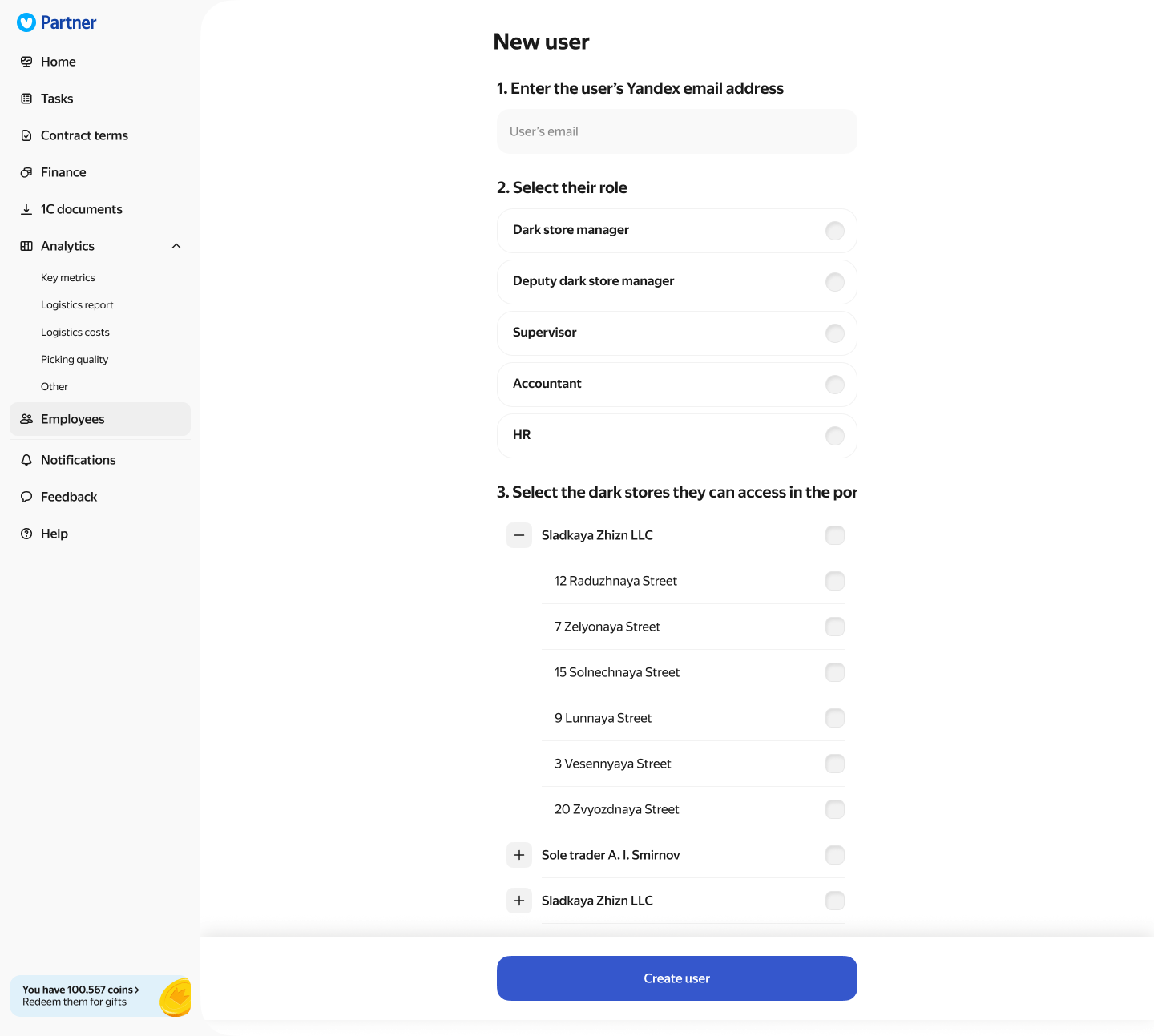
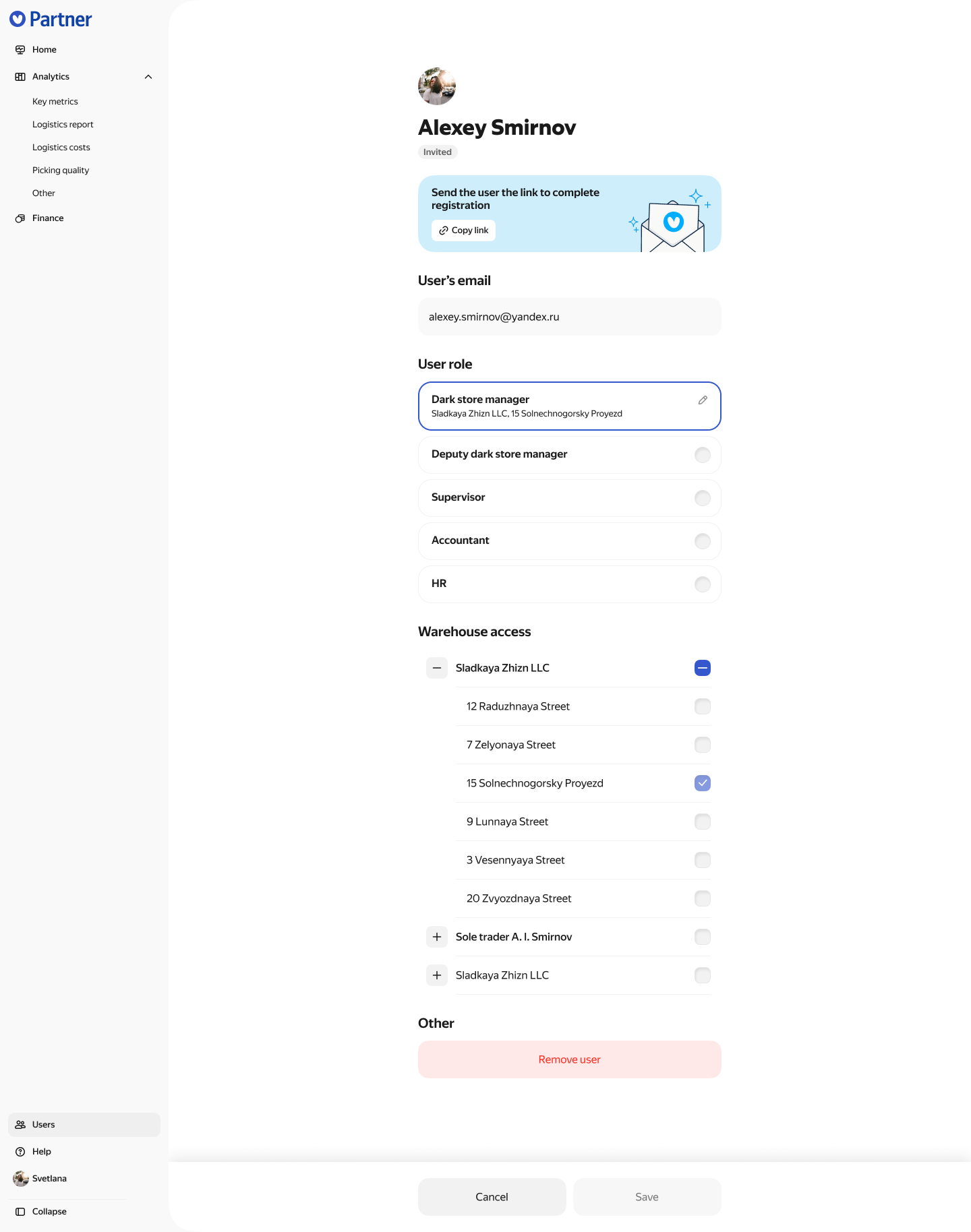
When adding an employee, the administrator enters their email and selects a role and the dark stores they can access. Once the user is created, the administrator can share an invitation link. The employee’s profile shows their role, dark stores and access status.
What I delivered
I defined the portal structure and designed the MVP. I worked through the core tasks, from reviewing performance and responding to issues to checking terms and inviting employees with the appropriate access.