Enterprise Systems
AI agents: a shared workspace for employees
Designed the core platform experience in a couple of days, from discovery and setup to conversation and recovery. The MVP was launched to employees.
Problem and context
An internal Yandex team was building AI agents for different employee needs. Employees needed one place to find the right agent and work with it. I joined the project in 2025 under a short deadline: connect discovery, setup and conversation into a coherent journey, including the states needed for a usable first release.
Designed in a couple of days · Complete handoff · MVP launched to employees
My role
I prepared the complete design handoff in a couple of days. My focus was the shared employee experience: finding an agent, supplying context, working in a conversation and moving between states. A dedicated team built the agents themselves.
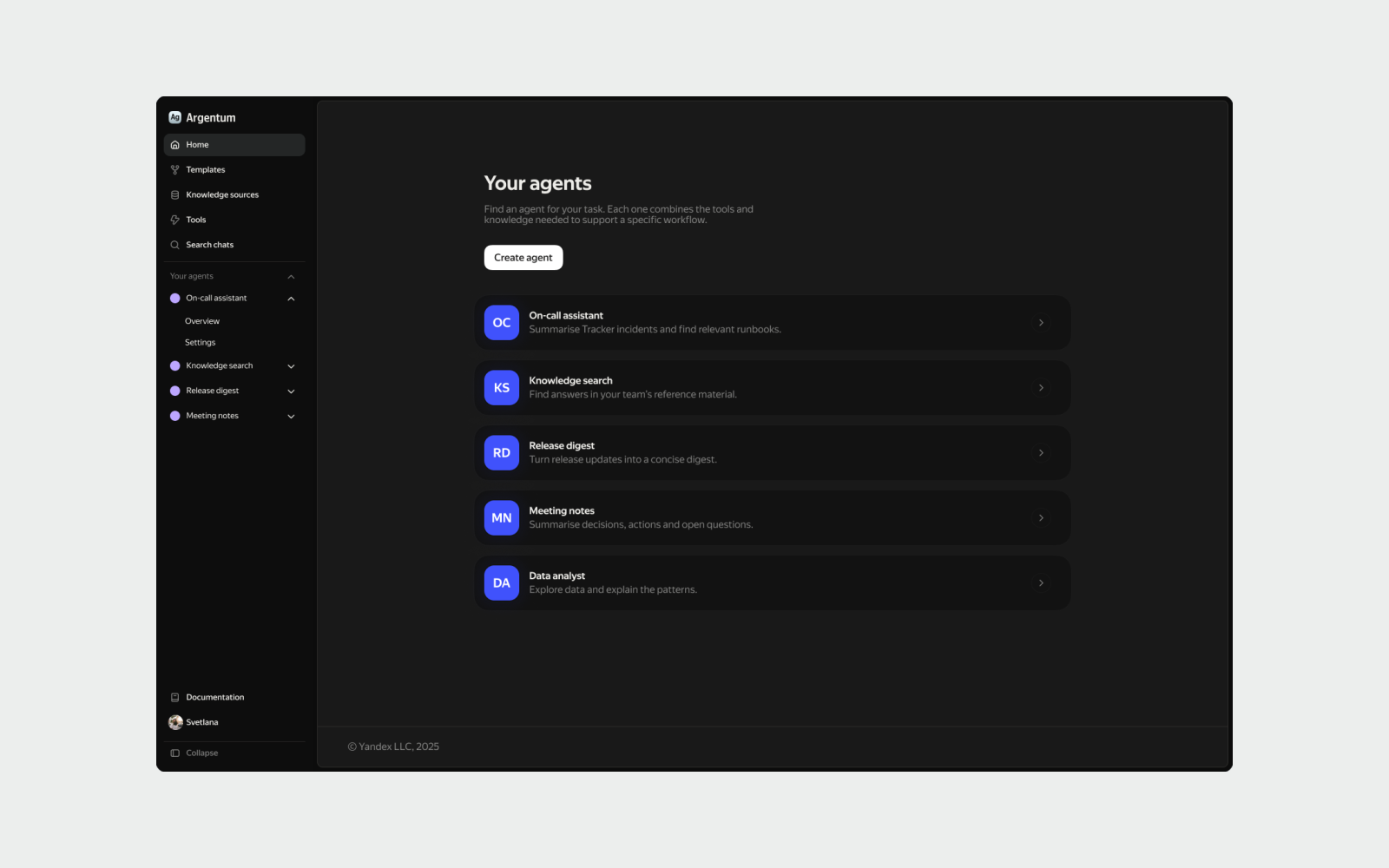
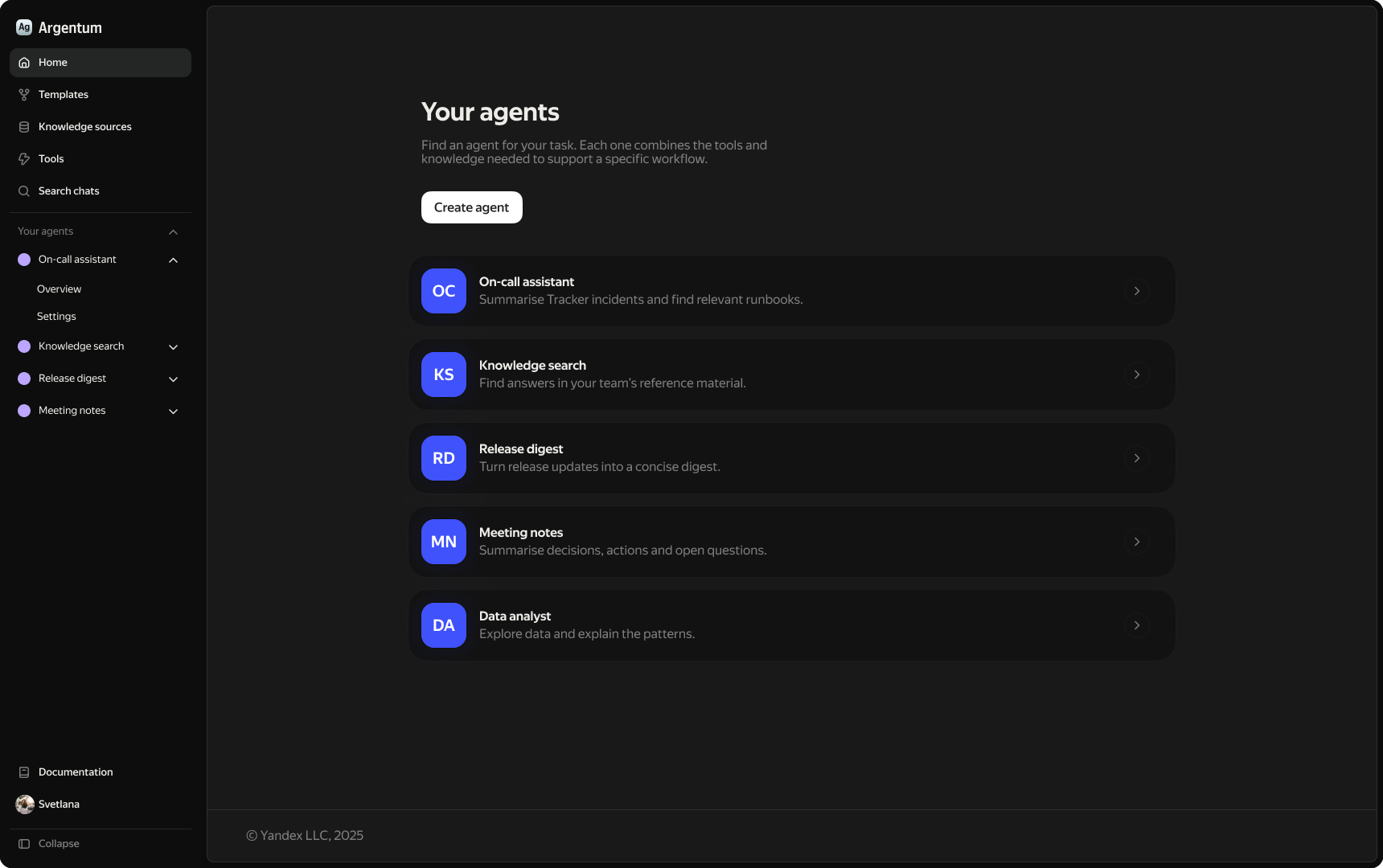
Find the right agent for the task
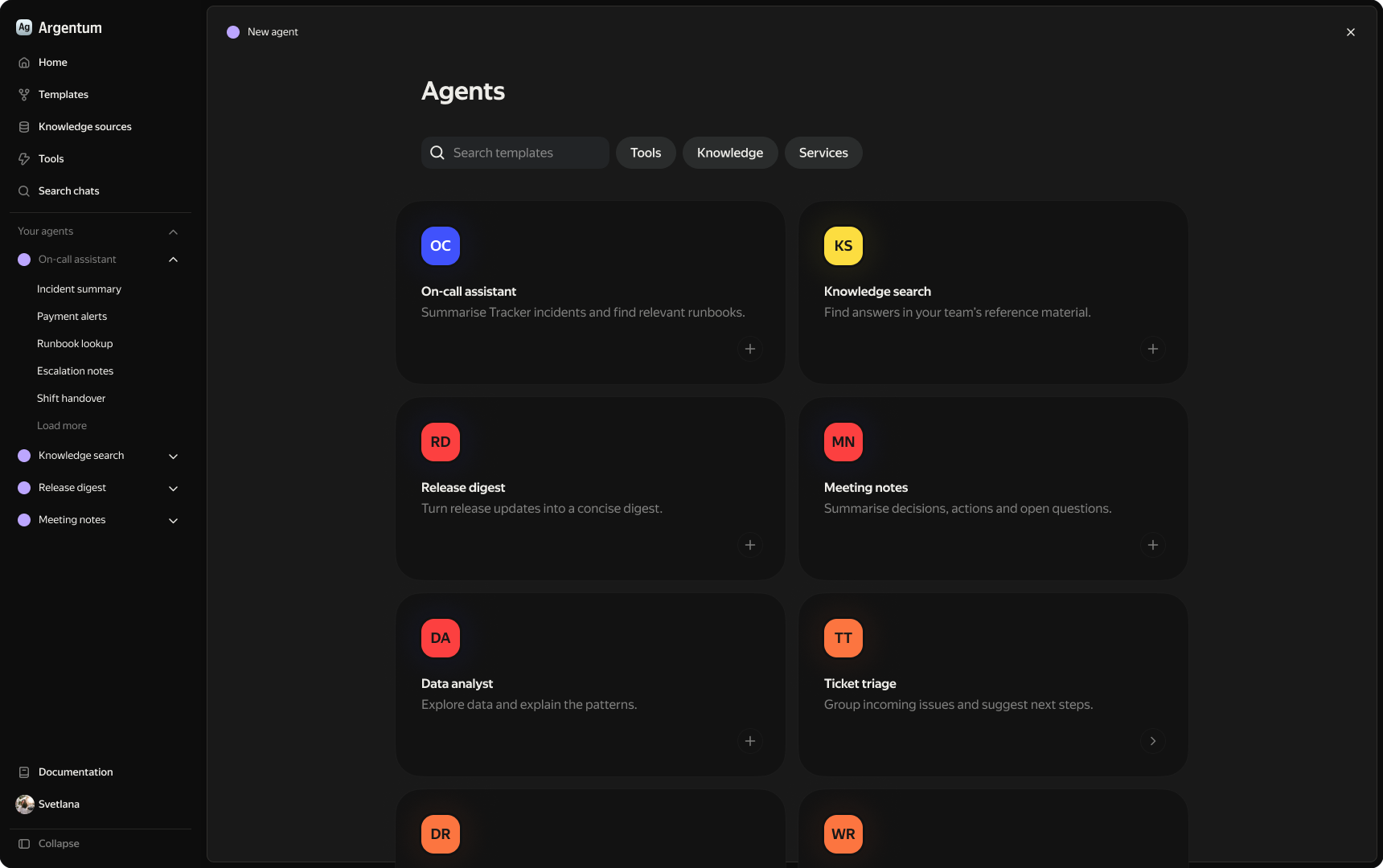
The catalogue brings task-specific agents into one workspace. Short descriptions explain each purpose before an employee opens a conversation, such as knowledge search, a release digest or on-call support. When a new configuration is needed, templates offer starting points with search and capability filters. This gives employees a concrete choice before asking them to complete setup.
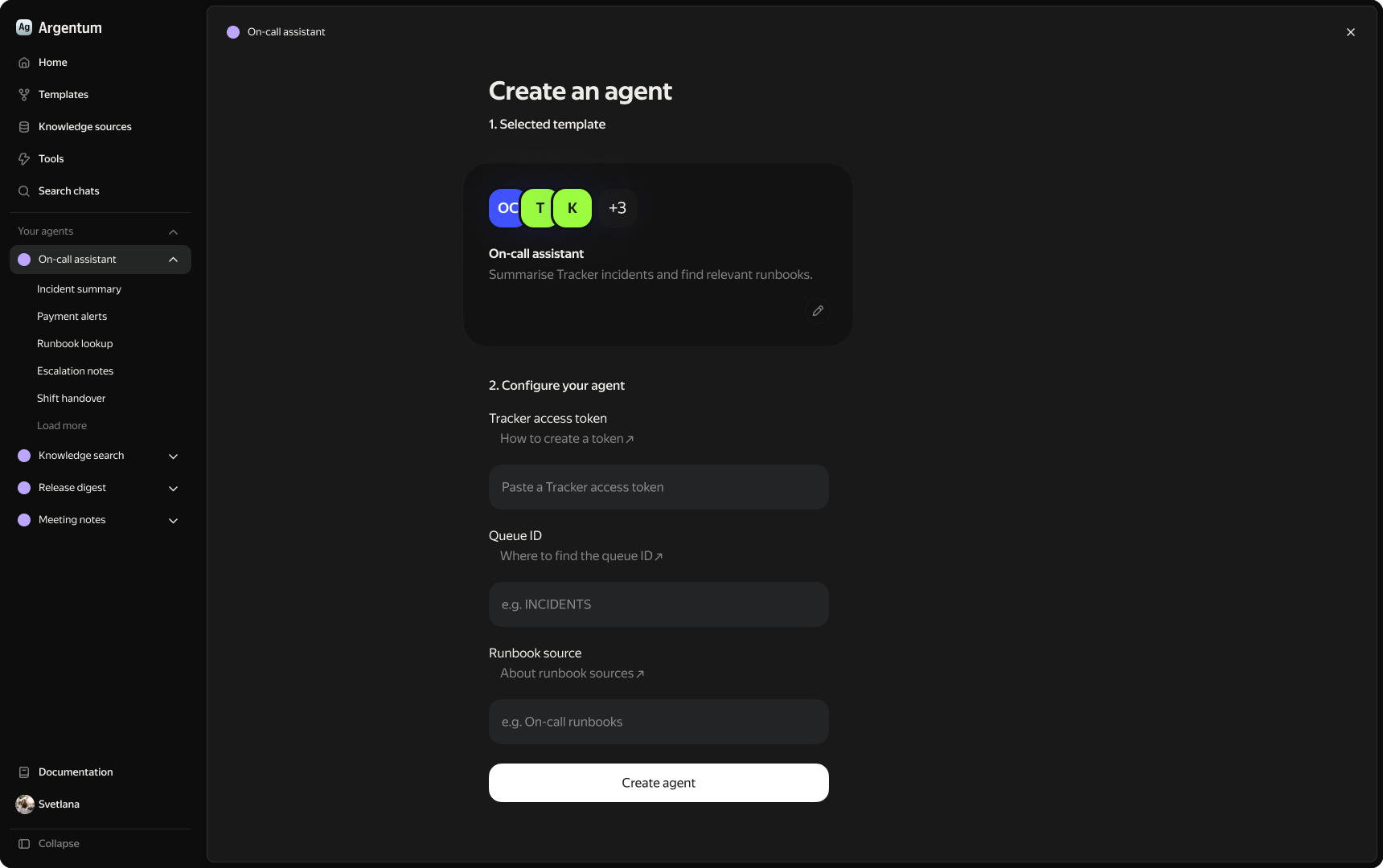
Keep the selected template in context
Setup groups the required parameters on one screen, with help beside each field. The selected template stays visible as the employee supplies context. The walkthrough uses an on-call assistant with Tracker access, a queue and a runbook source to illustrate the configuration. Under the time constraint, I focused on a coherent core path from choosing a starting point to working with the agent.
Offer a clear start and a readable response
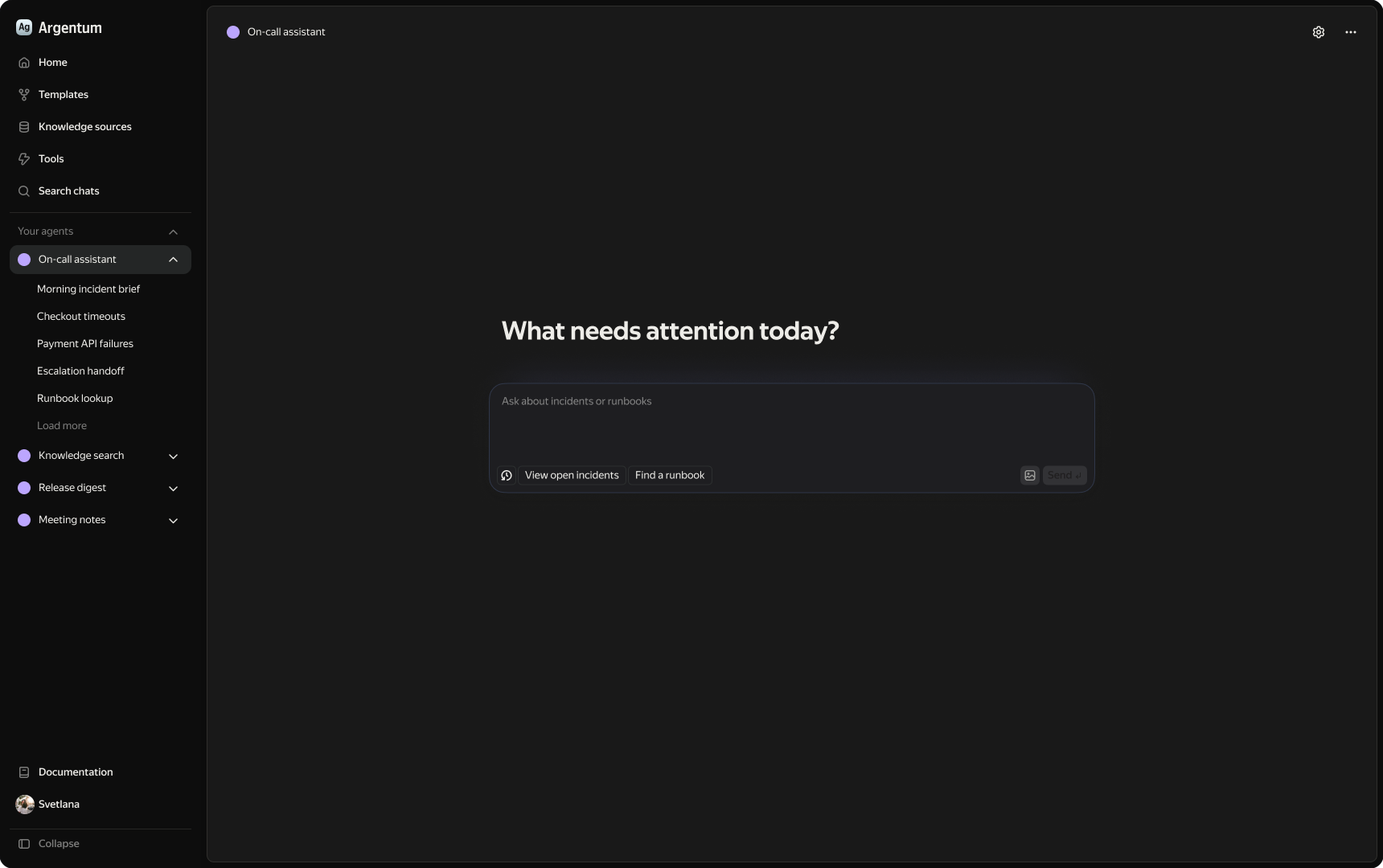
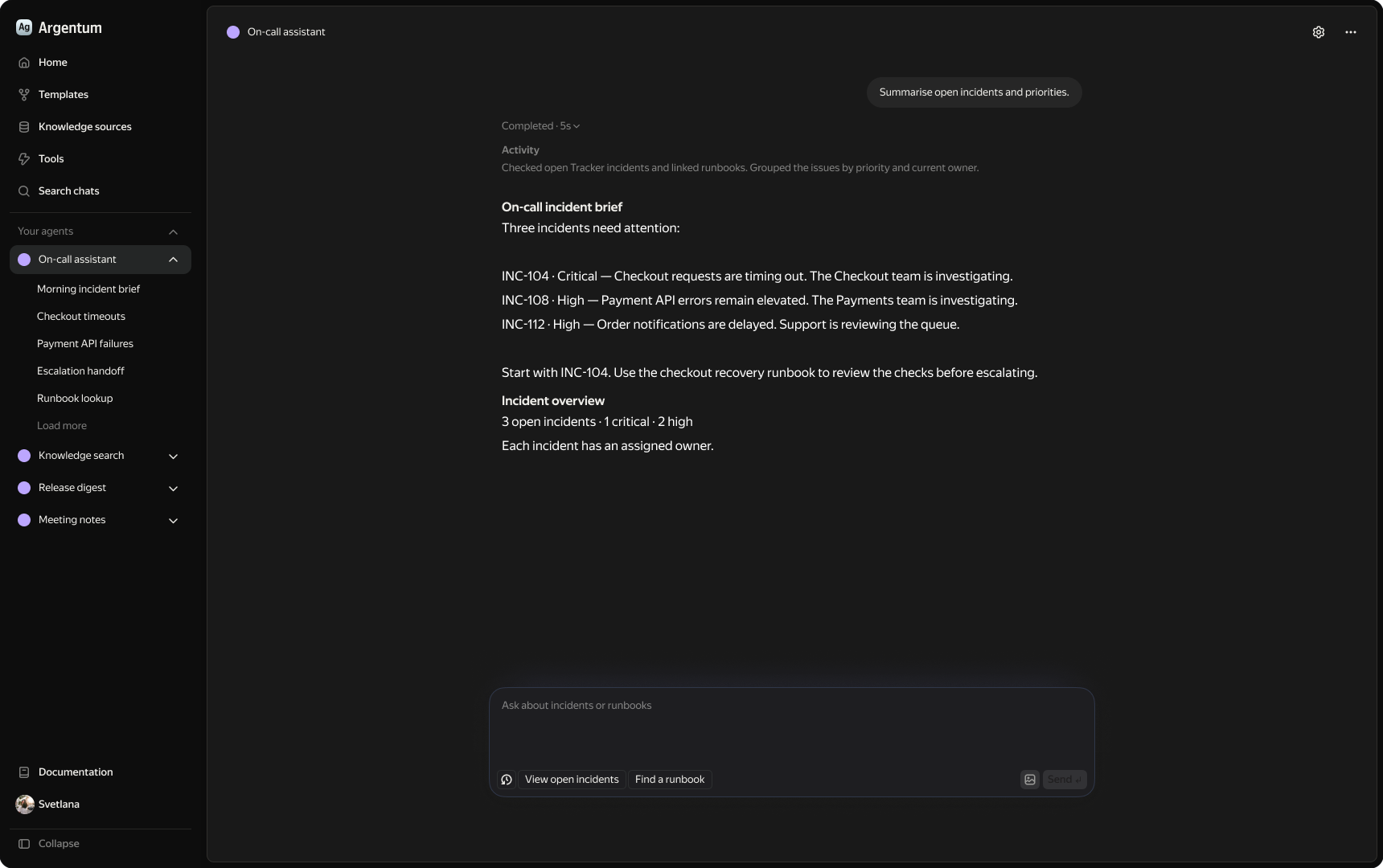
The conversation keeps the selected agent and recent chats in view. Relevant suggested prompts give employees a starting point while leaving room for their own request. The illustrative on-call brief groups incidents by priority and identifies a next step. A short activity summary is separated from the answer, making the result easier to scan and continue discussing in the same conversation.
Make waiting and recovery part of the journey
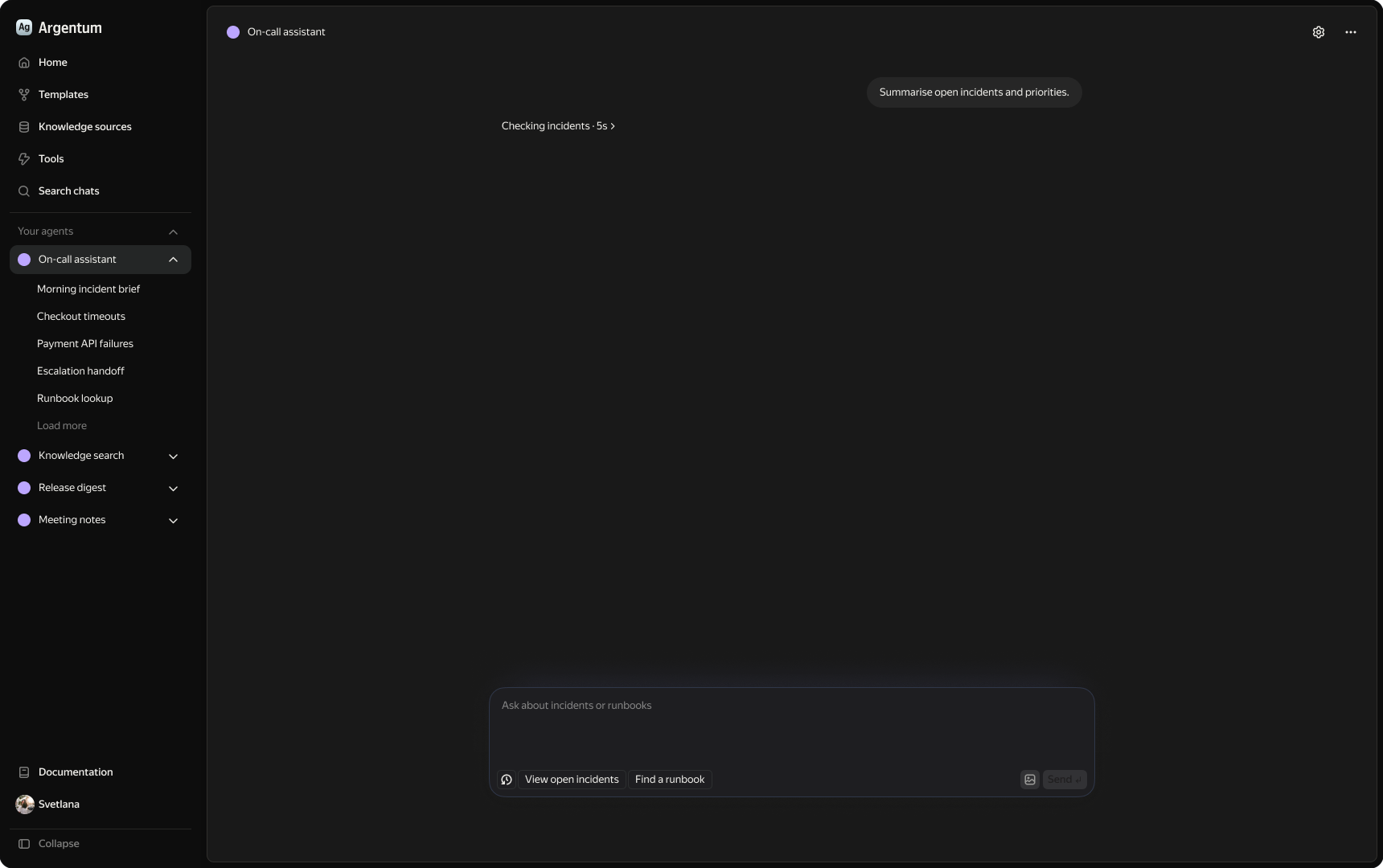
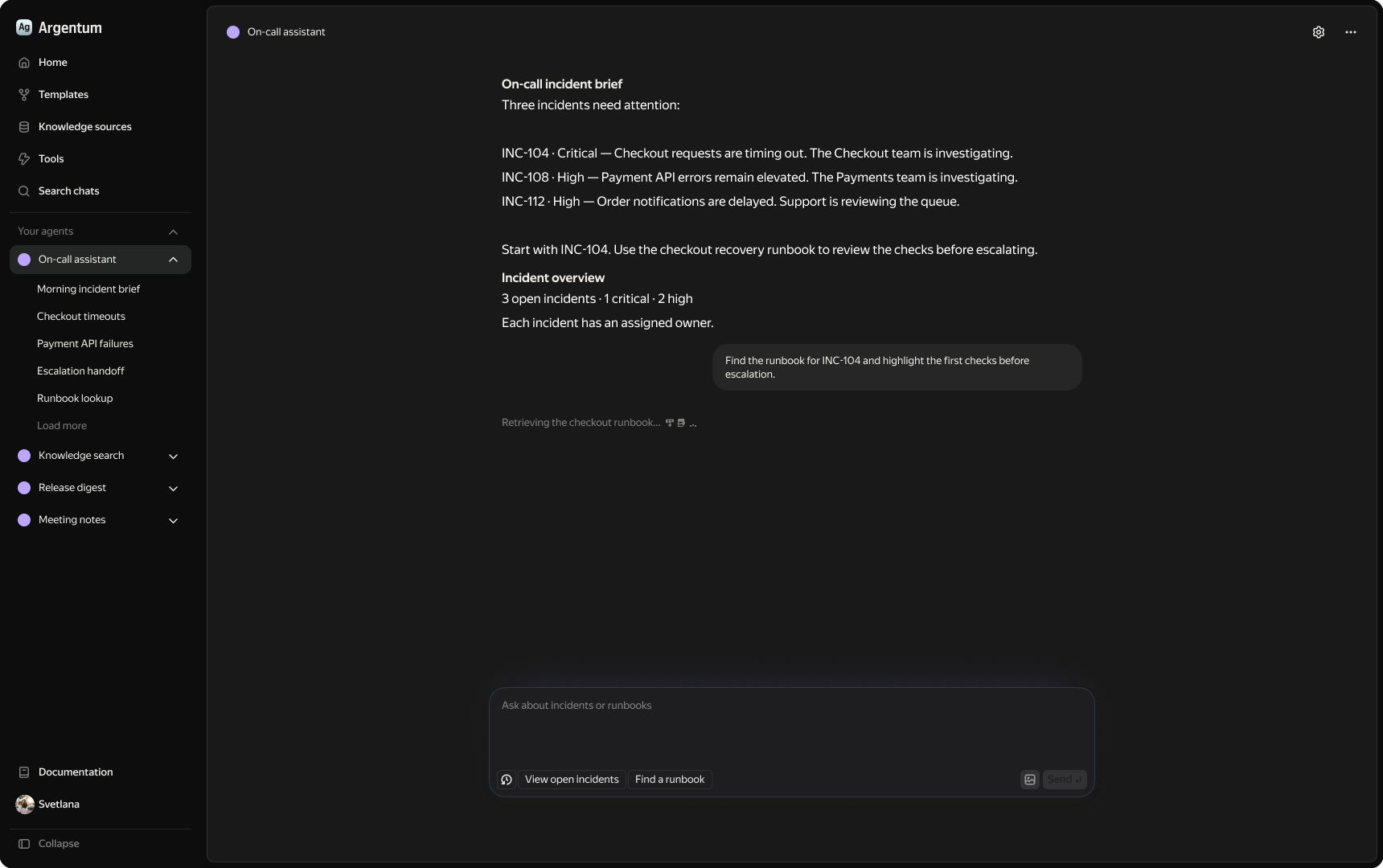
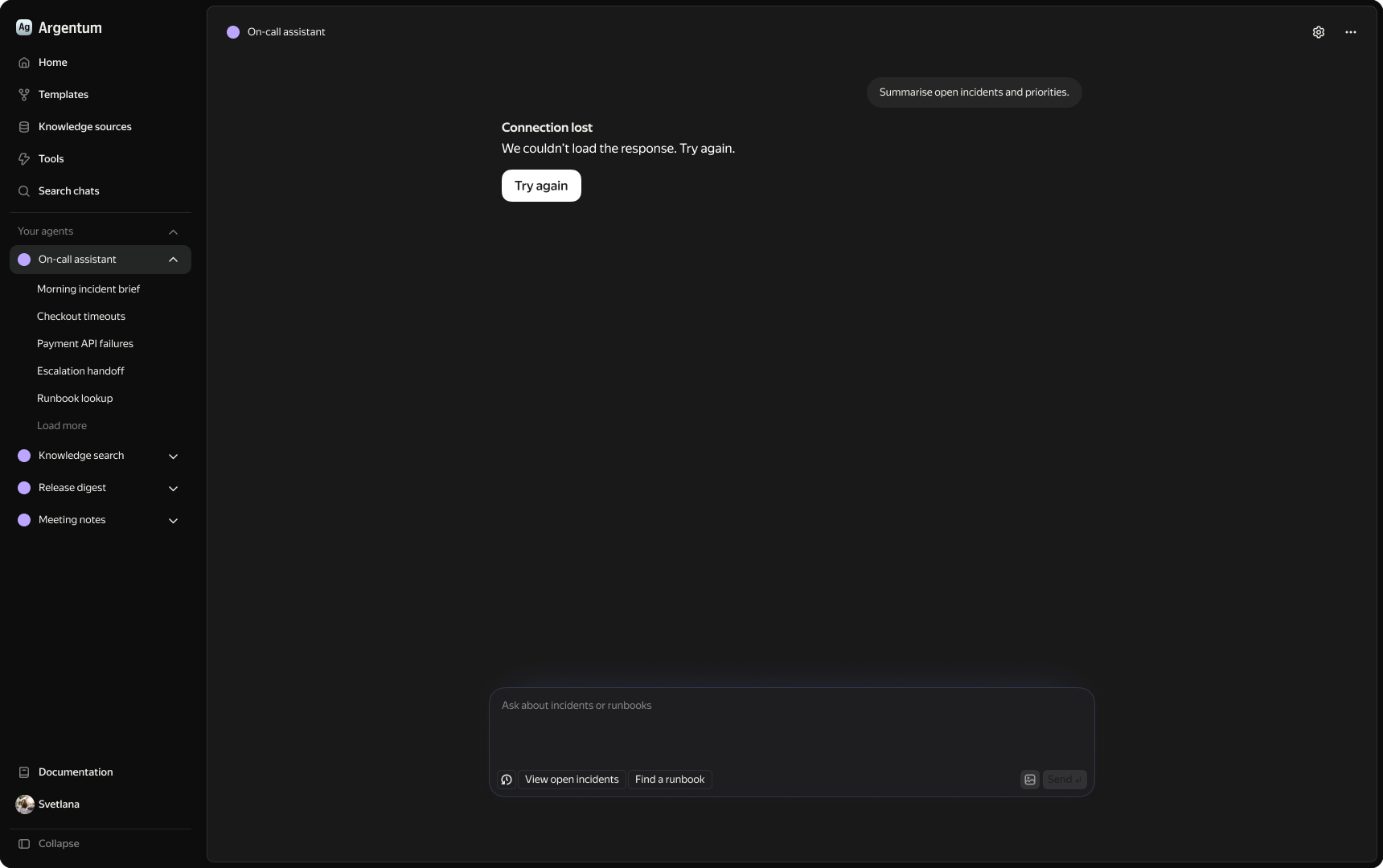
Agent responses can take time or fail. Explicit statuses cover ongoing work and retrieval of additional information. If a request fails, an inline error keeps the original request visible and offers retry in the same place. The employee retains the conversation context and can see the available next action.
Outcome
The complete set of designs enabled engineering to start without delay. The MVP was launched to employees, giving them one place to find and use the team’s agents.